Clickslab Logo
Free Link in Bio Builder

The free bento link in bio page builder

Build a visual bento grid in minutes. Drag, drop and share — no code needed.
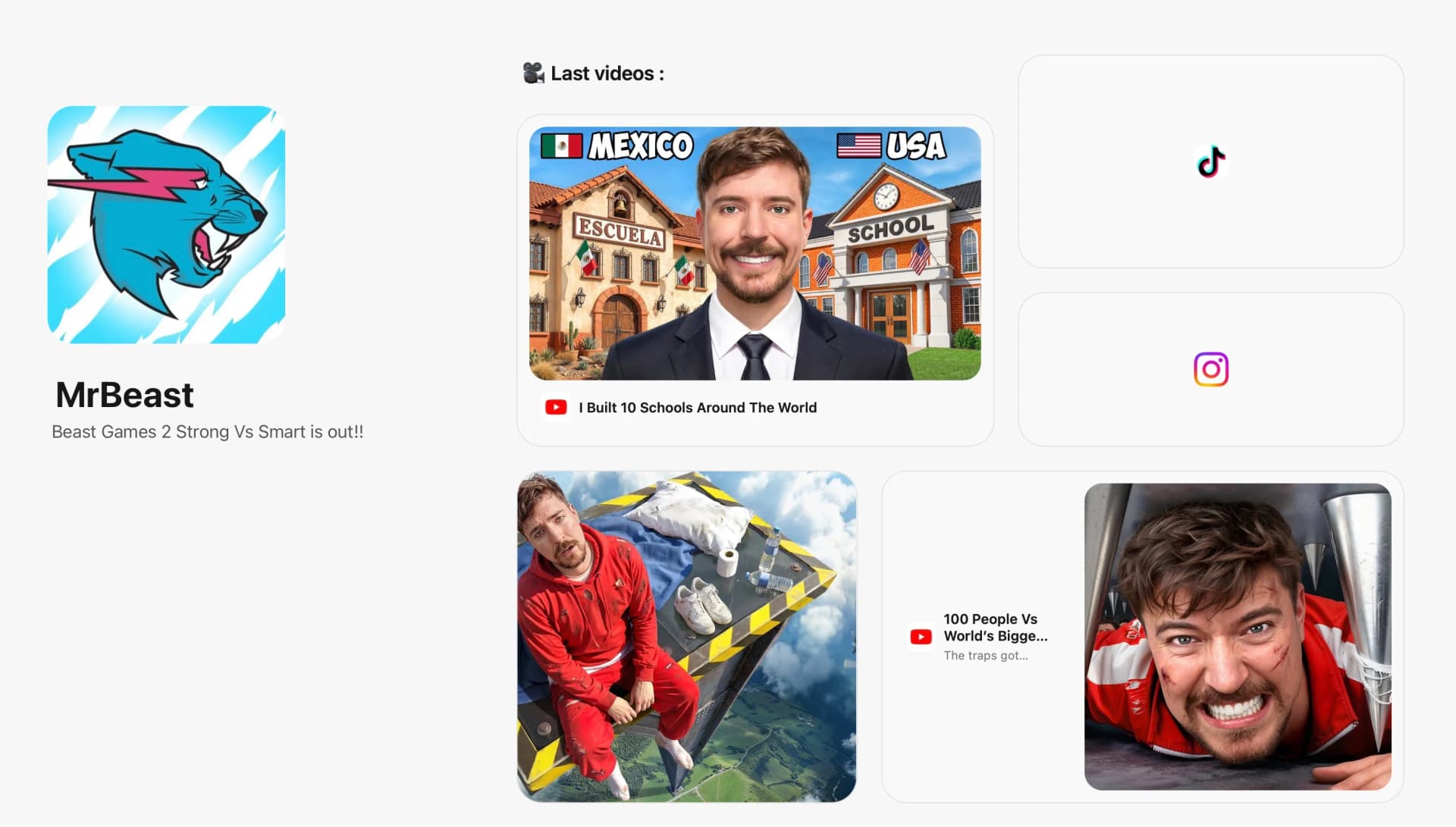
Desktop bento page layout
Mobile bento page layout
Analytics

Track every view and click on your bio link page.

See how many people visit your bento page and which blocks they interact with. Put your best content front and center.
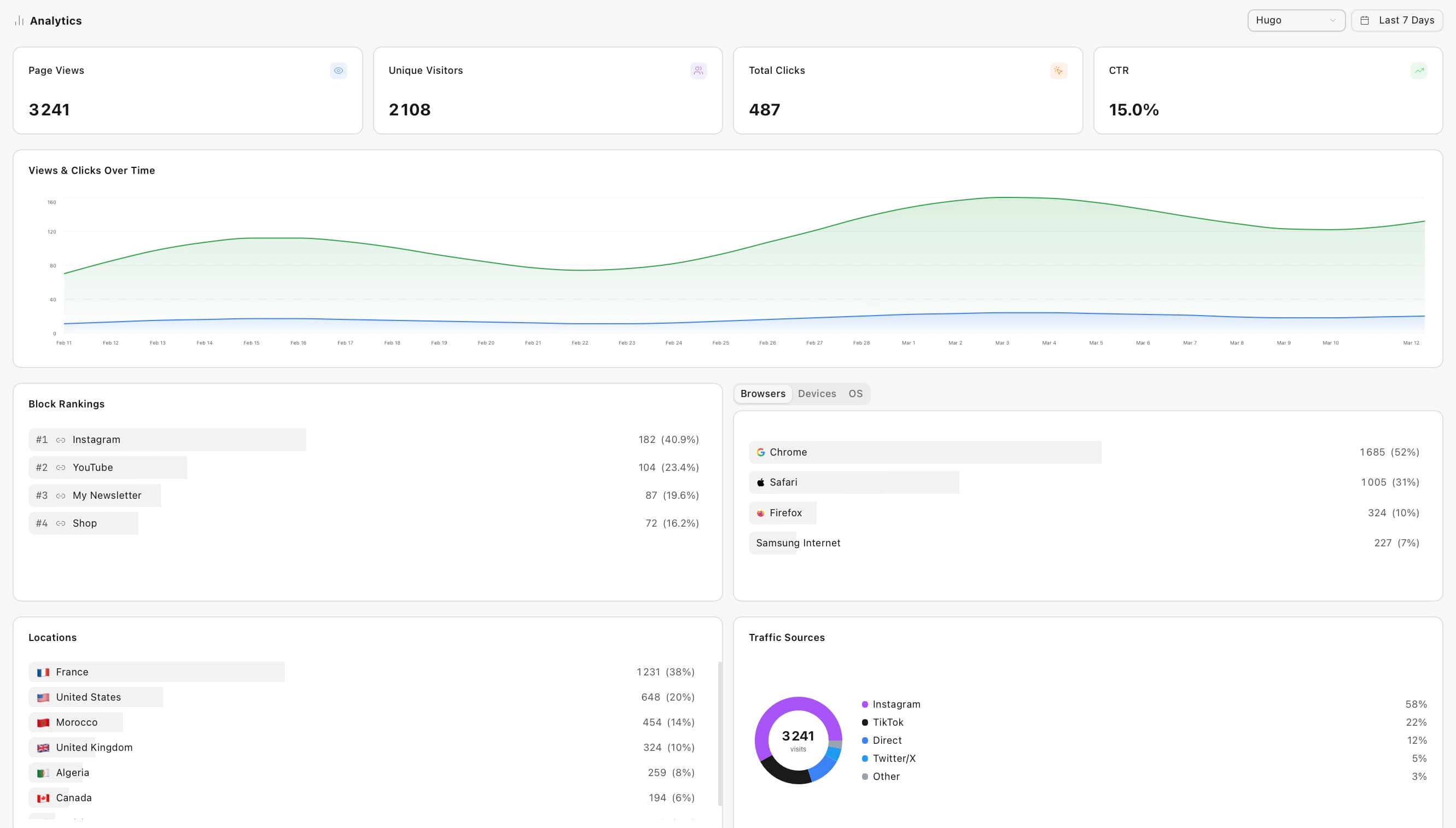
Bio page analytics dashboard mockup
What Is a Bento Link in Bio Page?

A visual link hub for your social media bio.

A bento link in bio page uses a grid of content cards in different sizes instead of a plain list. Arrange links, text, and media in a visual mosaic.

Instagram, TikTok, and YouTube limit you to one bio link. A bento page turns that link into an interactive hub for all your content.

Clickslab's builder is free with no watermark. Drag-and-drop blocks, pastel themes, separate mobile layouts, and per-block analytics — no code or credit card needed.

Features

Everything your bento link in bio page needs.

Pastel color themes

Choose from curated block colors. Every block can have its own swatch for a layered aesthetic.

OG link previews

Paste any URL and Clickslab auto-fetches the title, description, and thumbnail. Zero manual work.

Separate mobile layout

Configure desktop and mobile grids independently. Mobile visitors always see the best arrangement.

Per-block analytics

See views and click counts for every block. Know exactly which content your audience values.

Comparison

A smarter free Linktree alternative.

Linktree gives you a list. Beacons charges for analytics. bento.me has none. Clickslab gives you a drag-and-drop bento grid, per-block click tracking, and a separate mobile layout — all free.

FeatureClickslabLinktree Freebento.meBeacons Free
Bento grid layout
Per-block analytics
Separate mobile layout
URL shortener included
QR codes included
Free tier analyticsLimitedLimited
No watermark on free

Bento grid, per-block analytics, mobile editor, URL shortening, and QR codes — all free. What competitors charge for, Clickslab includes.

Works everywhere

Built for Instagram, TikTok, YouTube, and beyond.

Instagram and TikTok limit you to one bio link. Drop your Clickslab page URL in your bio to give followers one destination with everything — content, shop, newsletter, and socials.

InstagramTikTokYouTubeTwitter / XPinterestThreadsLinkedInTwitch
Who Uses Bento Bio Pages?

Built for creators, businesses, and anyone who shares links.

Whether you have 100 followers or 100,000 — a bento bio page helps your audience find everything in one tap.

Content creators

Showcase your latest content, merch, and social profiles in one visual link. Highlight your newest video front and center.

Small businesses

Link customers to your menu, booking page, location, and social media — all from one URL in your Instagram bio.

Social media managers

Manage separate bento pages per client with workspaces, and report per-block analytics on engagement.

Freelancers and consultants

A lightweight portfolio hub — case studies, testimonials, booking, and contact forms without building a full website.

Everything you need

One platform to shorten, share, and track all your links.

Short Links

Custom slugs, real-time click analytics, and branded short links.

🚀

r.clickslab.io/launch

mysite.com/blog/big-announcement-2026

2s ago

QR Codes

Dynamic QR codes you can update anytime — even after printing.
QR Code

Link in Bio

Drag-and-drop blocks, pastel themes, and per-block analytics.

Clickslab link in bio page on mobile

Bento Pages

Separate mobile and desktop layouts — the free Linktree alternative.
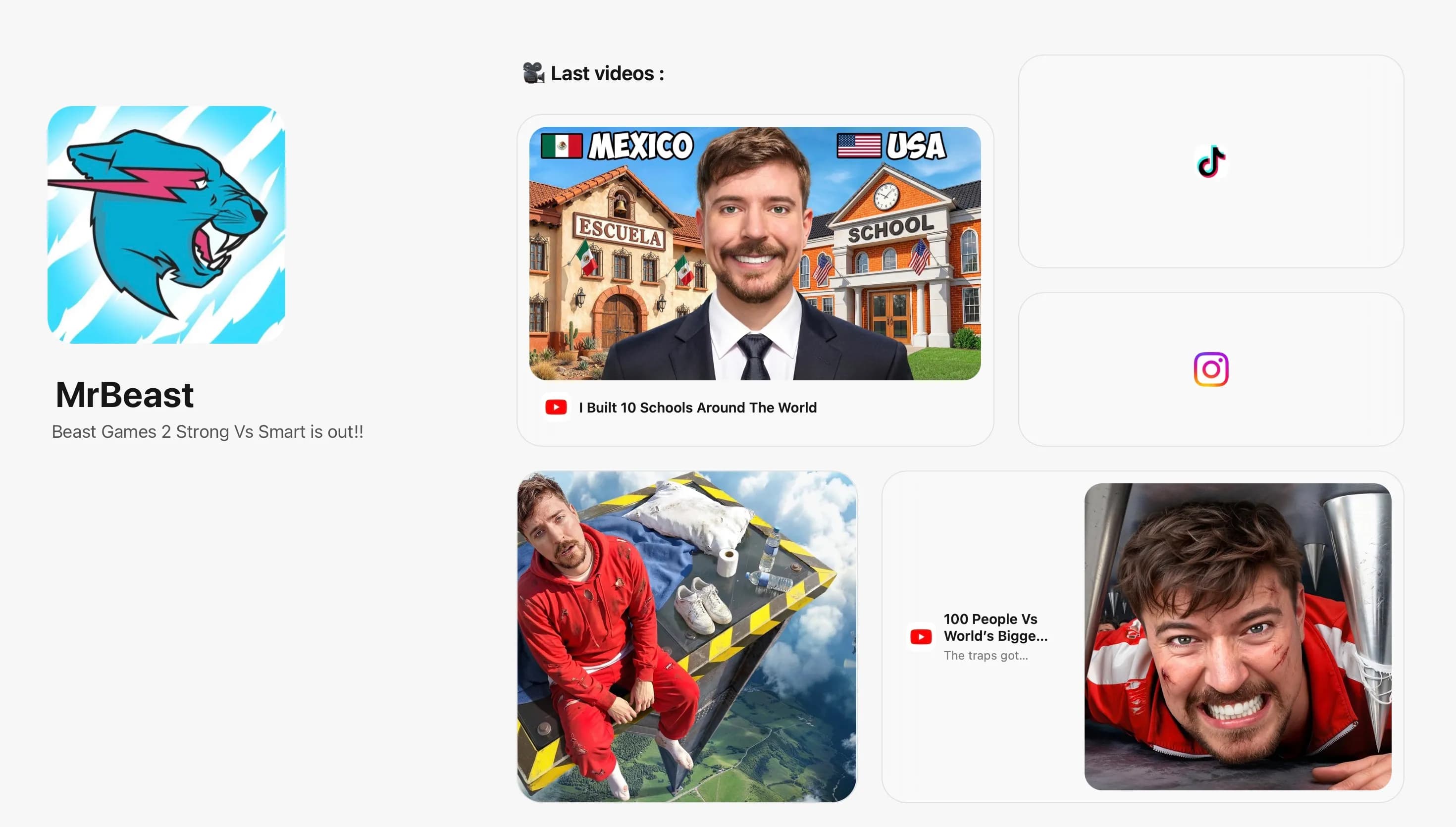
Bento page mockup

Use ClicksLab for Free !

Get started with our free plan and experience the power of ClicksLab for all your link management needs.

FREE PLAN

Free

$0/mo

No credit card required

  • 1 user
  • 50 new links/mo
  • 5k tracked clicks/mo
  • Advanced analytics
  • Click tracking by location & device
  • QR code generation for all links
  • 30 days retention
  • Link in Bio / Bento page
Custom

Everything in Free, plus:

  • Custom users
  • Custom new links/mo
  • Unlimited tracked clicks/mo
  • Custom days retention

Bento Page — Frequently Asked Questions

These are the most commonly asked questions about ClicksLab.

Bento Page Questions

What is a bento page?
A bento page is a personal or brand landing page built on a bento grid layout — a mosaic of cards of different sizes, inspired by Japanese bento boxes. Unlike a traditional list-style link page, a bento page lets you arrange links, text, images, and content blocks visually in a grid, giving your page a unique and modern design.
How is a bento page different from a regular Link in Bio page?
A regular Link in Bio page is a simple vertical list of buttons. A bento page uses a grid layout where blocks can be different sizes and positions, letting you create a visually richer experience. You can combine link cards, text blocks, and media in a way that feels more like a personal website than a link list.
Is ClicksLab's bento page builder free?
Yes. The ClicksLab bento page builder is completely free to use. You can create, customise, and publish your bento page without any paid plan. There are no watermarks on the free tier and your page is publicly accessible from a shareable ClicksLab URL.
Can I use a bento page as my Instagram or TikTok bio link?
Yes, that is exactly what it is designed for. Add your ClicksLab bento page URL to your Instagram, TikTok, YouTube, or Twitter bio and your followers land on a beautifully designed page with all your most important links and content. It replaces the single bio link limit with a full interactive hub.
What can I put on a bento page?
You can add link blocks (with custom titles and thumbnail images), text blocks, and more block types coming soon. Each block can be resized and repositioned on the grid, and you can choose from colour themes to match your personal brand or aesthetic.
Do bento pages work on mobile devices?
Yes. ClicksLab bento pages have a separate mobile layout that you can configure independently from the desktop layout. This means you can arrange blocks differently for mobile visitors to ensure the best viewing experience, since most of your audience will arrive on a smartphone.
Can I have multiple bento pages on one account?
Yes. ClicksLab lets you create multiple bento pages under one account, organised by workspace. This is useful if you manage more than one brand, project, or client — you can keep each page separate with its own content, links, and analytics.
Does ClicksLab track analytics on my bento page?
Yes. ClicksLab tracks views and clicks on your bento page, including which link blocks receive the most engagement. This helps you understand what your audience finds most valuable and optimise your page content over time.
What is the best free Linktree alternative in 2025?
Clickslab is one of the strongest free Linktree alternatives. It offers a bento grid layout instead of Linktree's plain list, includes per-block analytics on the free tier (Linktree charges for this), and bundles URL shortening and QR codes — no watermark, no credit card required.
Is Clickslab a good bento.me alternative?
Yes. Clickslab has everything bento.me offers — a visual drag-and-drop grid — plus features bento.me lacks: per-block analytics, a separate mobile layout editor, URL shortening, and QR codes. All free.
How do I create a link in bio page for Instagram for free?
Sign up for a free Clickslab account, open the bento page editor, and drag link and text blocks onto your grid. Copy your unique page URL and paste it into your Instagram bio field. Your followers arrive at your full bento page with all your content in one place.
What is the difference between a link in bio page and a bento page?
A standard link in bio page is a vertical list of buttons. A bento page uses a grid where blocks can be different widths and heights, arranged freely. This gives your page a richer, more visual design that stands out from the default list-style pages.
Can I use Clickslab link in bio for my small business or brand?
Yes. Use your bento page to direct customers to your shop, booking page, portfolio, newsletter, and social profiles — all from one link. Per-block analytics show which links your audience clicks most.
Does a bento link in bio page work on mobile?
Yes. Clickslab bento pages have a dedicated mobile layout editor, separate from the desktop grid. Since over 70% of social media clicks happen on mobile, you can arrange blocks differently for smaller screens so every visitor sees the best version.
How is a bento link in bio different from a regular website?
A bento link in bio page is optimised for one purpose: converting a single social bio link into a hub for all your content. Unlike a full website, it loads instantly, requires no code, and is formatted for mobile traffic from Instagram or TikTok. A website is for search discovery; a bento bio page is for social traffic.

Claim your free link-in-bio page

Free Link in Bio Bento Page Builder | Clickslab | Clickslab